WHAT’S NEW
Smart Screening Release Notes
August 2026 Smart Screening updates
This month's Smart Screening update is here. Amazing new features to help you screen smarter, stay consistent and hire with more confidence.
Here's a look at what's new!
.png?branch=production)
ATS Workflow Enhancements
It’s now easier to import profiles into your ATS that have not met your threshold criteria.
Smart Screening now lets employers manage candidates in groups rather than handling them one at a time. You’ll find this new “bulk action” within the applicants tab.
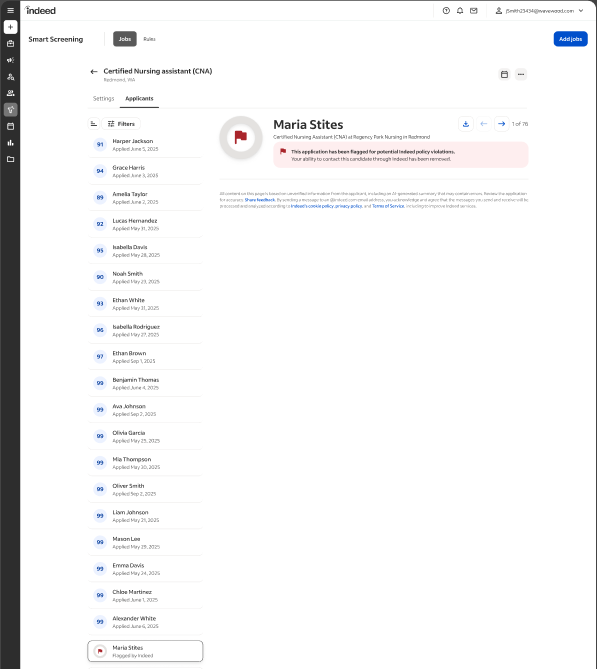
Flag Suspicious Applications Directly in Smart Screening
Flag suspicious behavior easily.
This is a self-directed way to report suspicious candidates. A new flag icon will appear next to profile names. When clicked, the flag opens a workflow asking, "Why are you reporting this candidate?" and you’ll be asked to share your concerns.
This new feature gives you options to report fake identities, spam, questionable job history, suspicious behavior, and inappropriate or threatening behavior among other concerns.
July 2026 Smart Screening updates
This month's Smart Screening update is here. Three new features to help you screen smarter, stay consistent and hire with more confidence.
Here's a look at what's new.
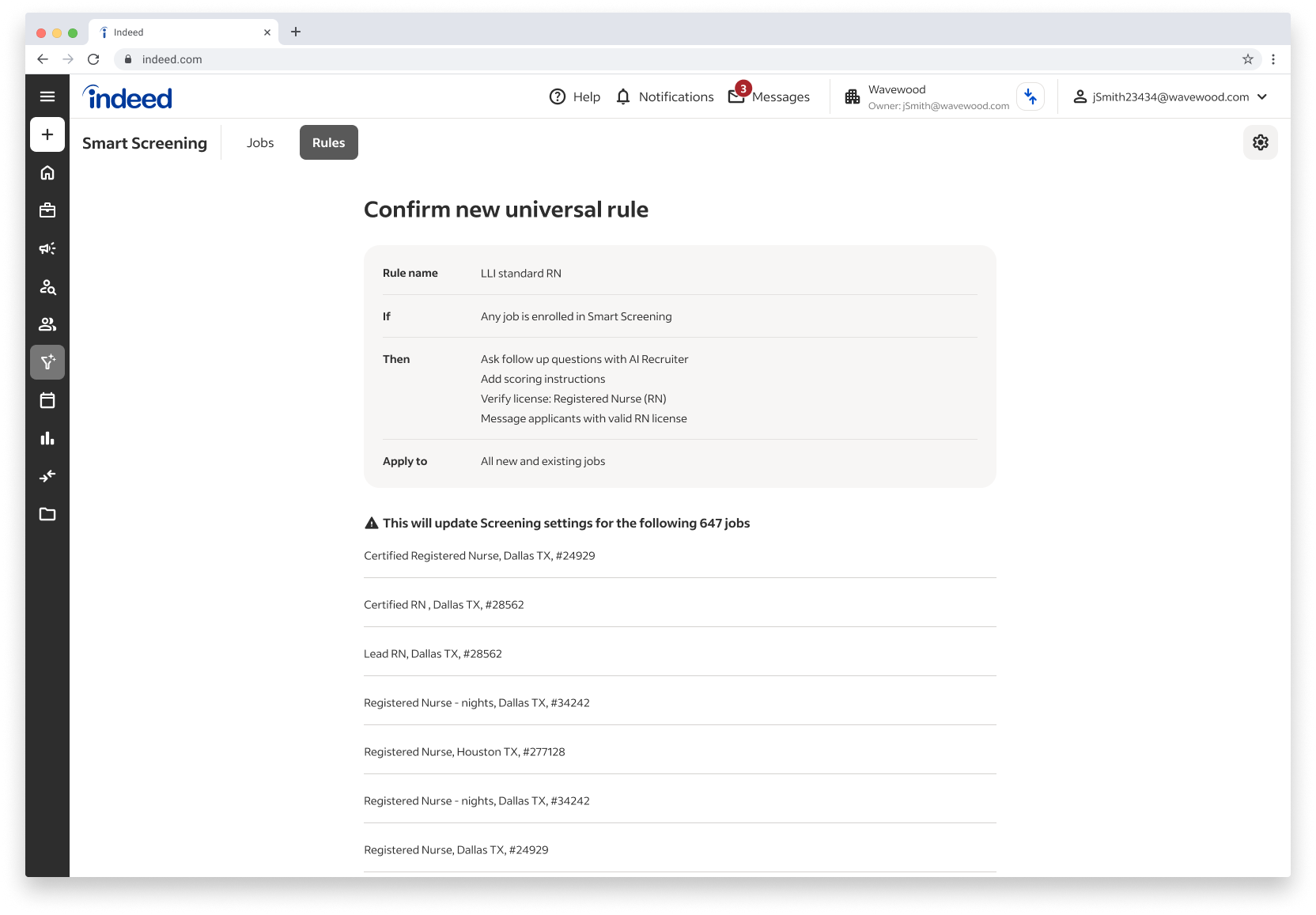
Simplify Your Rules with Universal Job Settings
Setting up screening rules for every job posting takes time you don't always have. Universal Rules let you write one rule and apply it across all your job postings at once. Less repetition, more consistency.
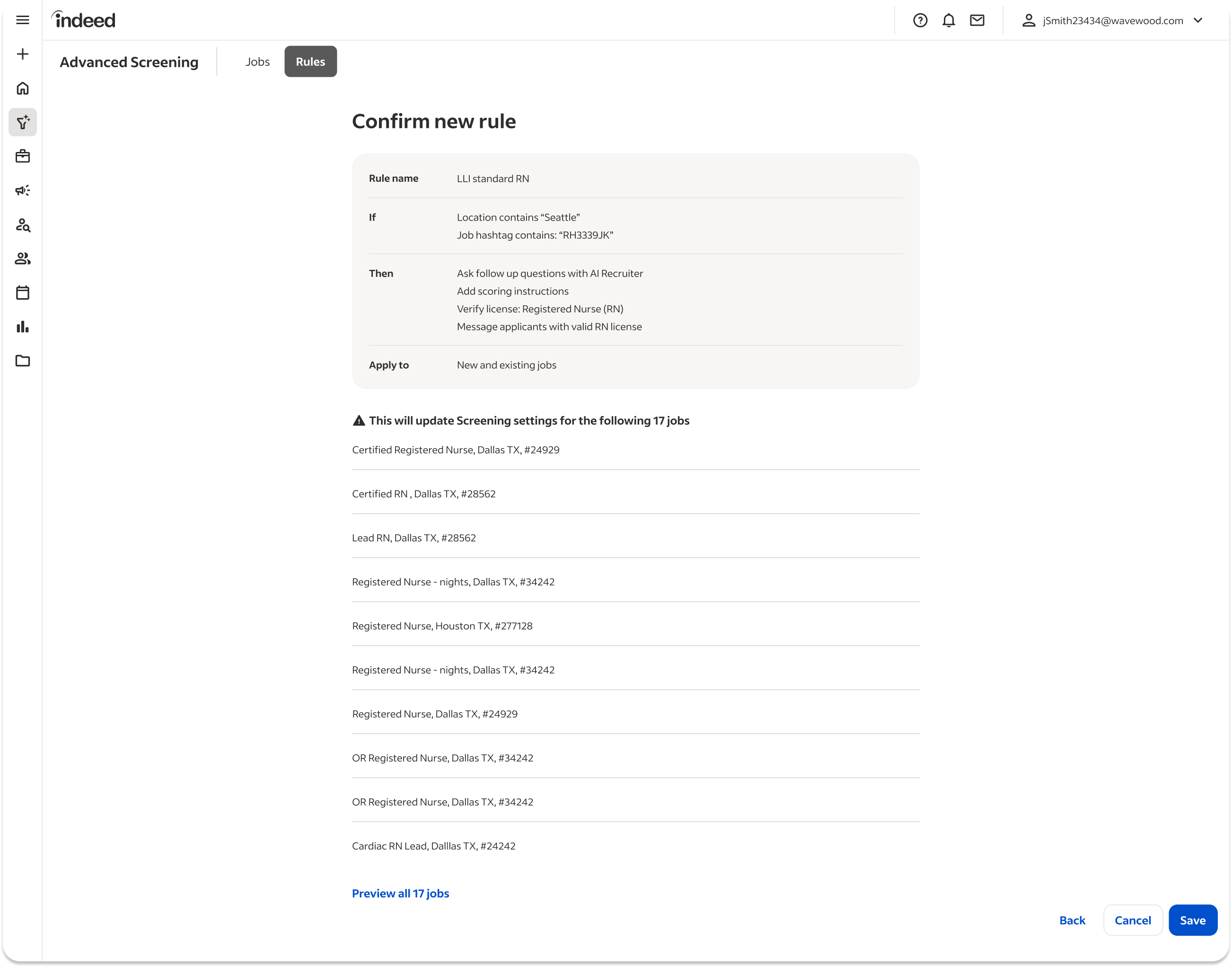
Group Jobs with Hashtag-Based Rules
Not every job needs the same screening criteria. Hashtag-Based Rules let you tag jobs in your descriptions and apply specific rules to each group. Your screening stays relevant to each role without starting from scratch every time.
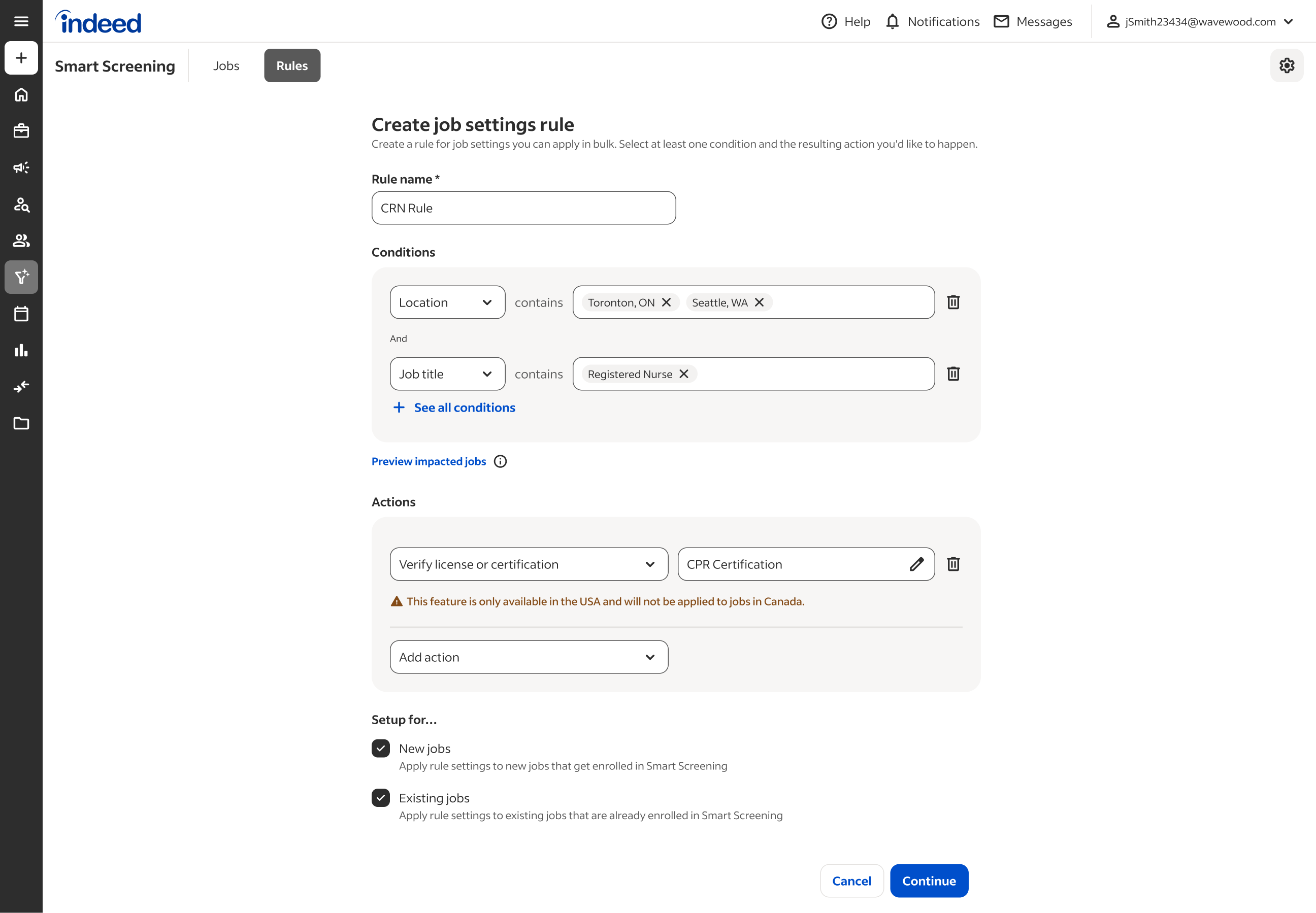
Hire Across Borders without the Complexity
Managing hiring rules across multiple countries can get complicated. Multi-Country Rule Support brings your global settings into one place, with country-specific support built in. One view, many markets.
June 2026 Smart Screening updates
Hiring takes time. These Smart Screening updates help you move faster, make clearer decisions, and support hiring in more places.
Make hiring steps easier
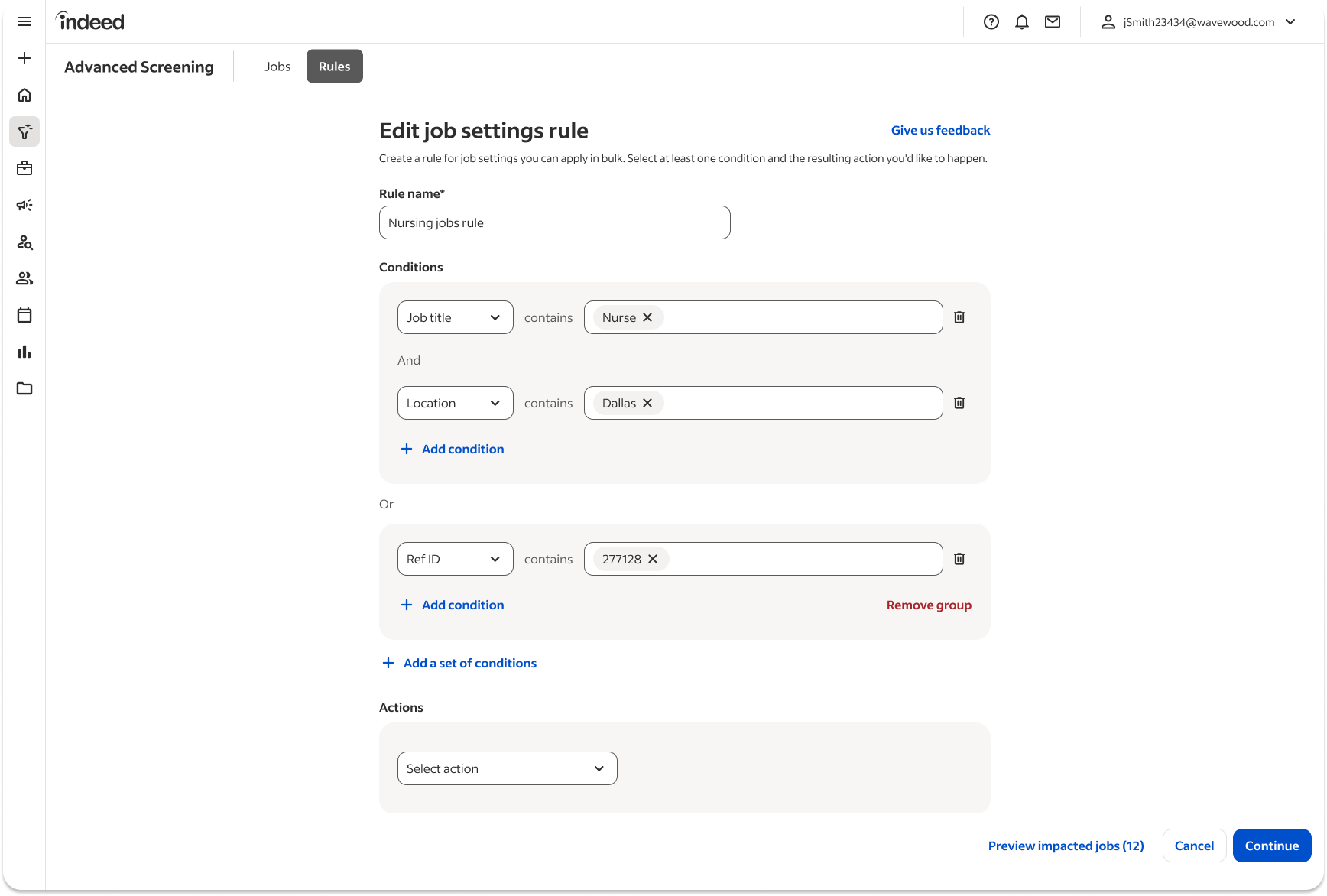
More flexible rule logic
You can now use AND/OR logic in Job Settings Rules, which gives you more control over how rules work.
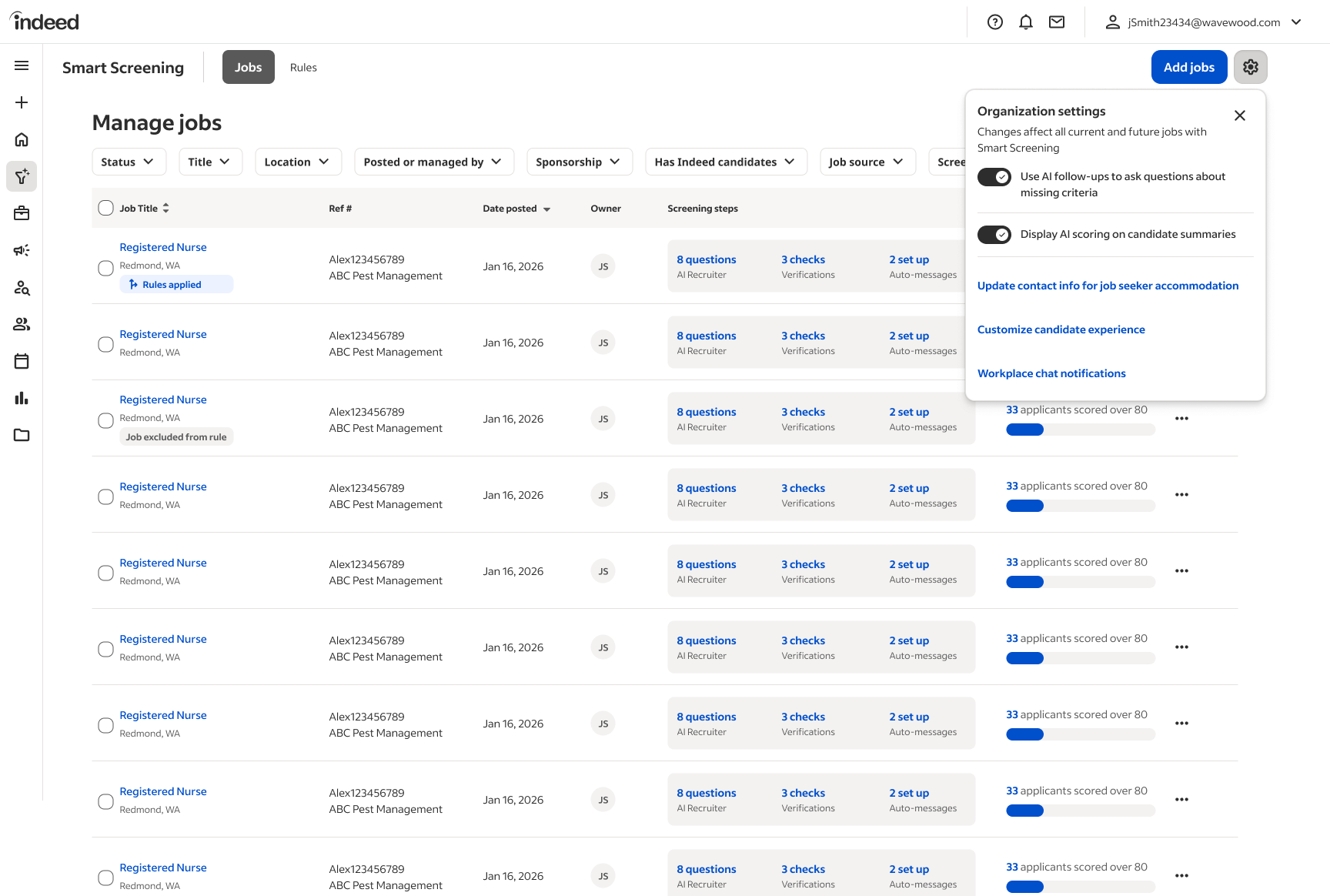
Automatic bulk rescoring
When you update scoring instructions at the rule level, all affected jobs are rescored automatically.
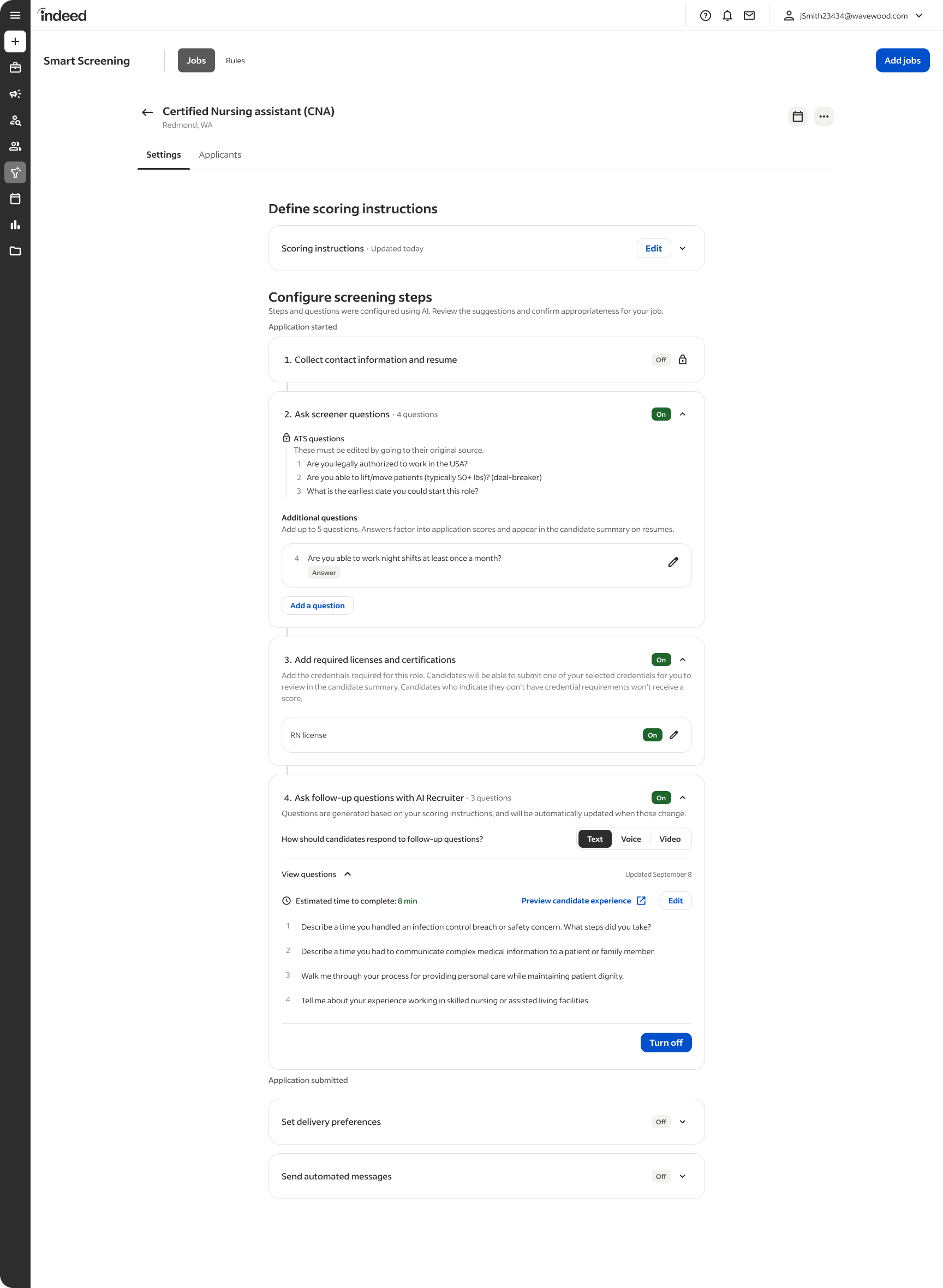
Better screening controls
You can reorder screening questions with drag and drop, and exclude applications that don’t meet your deal breakers from ATS delivery. All of your applications are available on your Indeed Employer Dashboard.
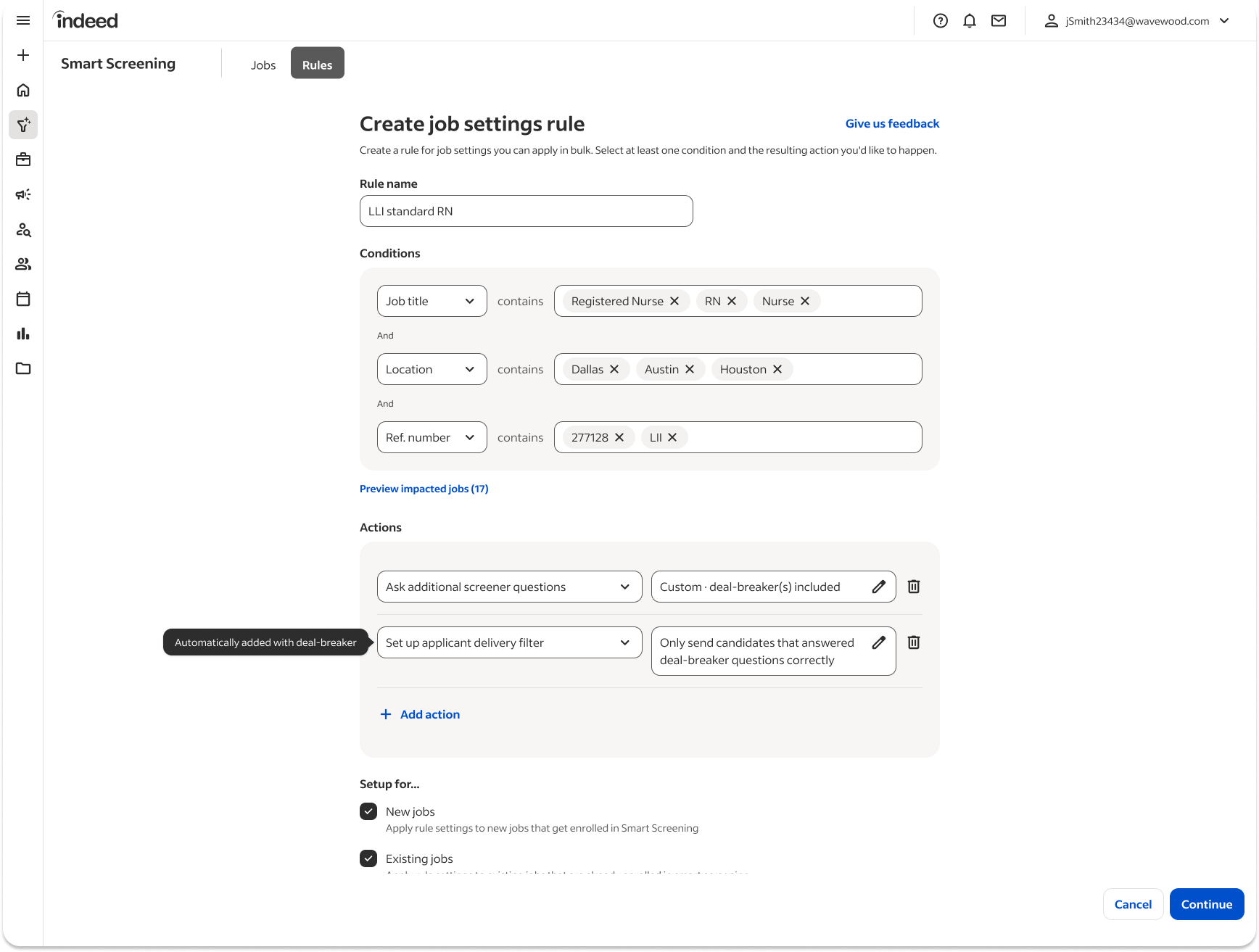
Configurable auto-delivery
You can enable dealbreaker screening questions in moderation rules to screen applications automatically at scale; You can also choose to send only applications that meet your deal breakers to your ATS. You can change that setting at any time, and all of your applications are available on your Indeed Employer Dashboard.
Support verification and policy needs
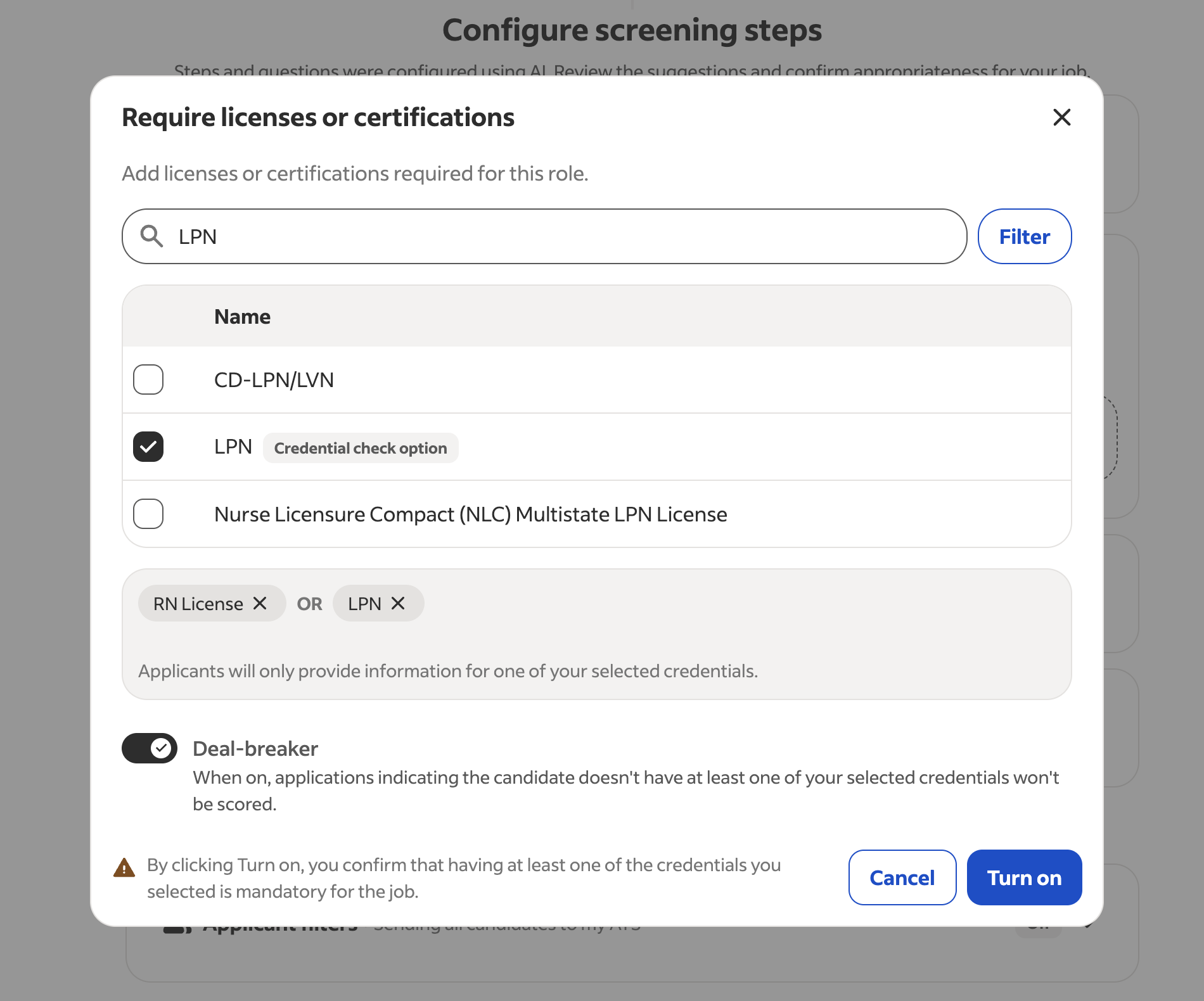
Credential Check
Job seekers can now verify professional licenses during the apply flow, which can reduce manual document uploads.
Help protect your hiring process and support global hiring
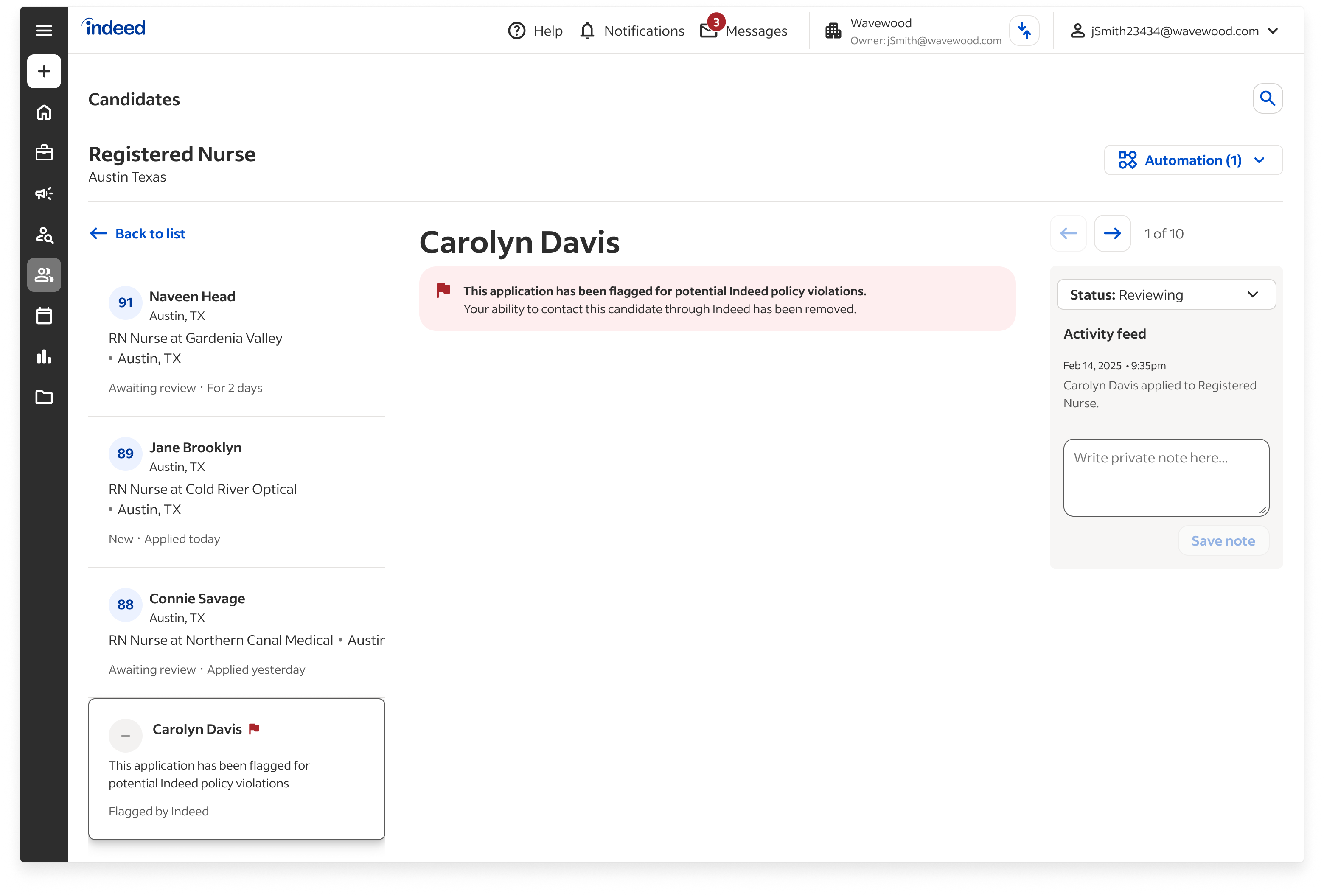
Post-apply fraud indicators
If an application is identified as fraudulent after applying, the fraud indicator in your dashboard updates automatically.
New international pilots 🇬🇧 🇦🇺
Smart Screening pilots are now live in Great Britain and Australia, with prompts and onboarding designed for those markets.
May Update: Screener questions
In April, we focused on simplifying your hiring process with a more flexible setup and enhanced customization options through Rules. This month, we're excited to introduce updates that further streamline your workflow.
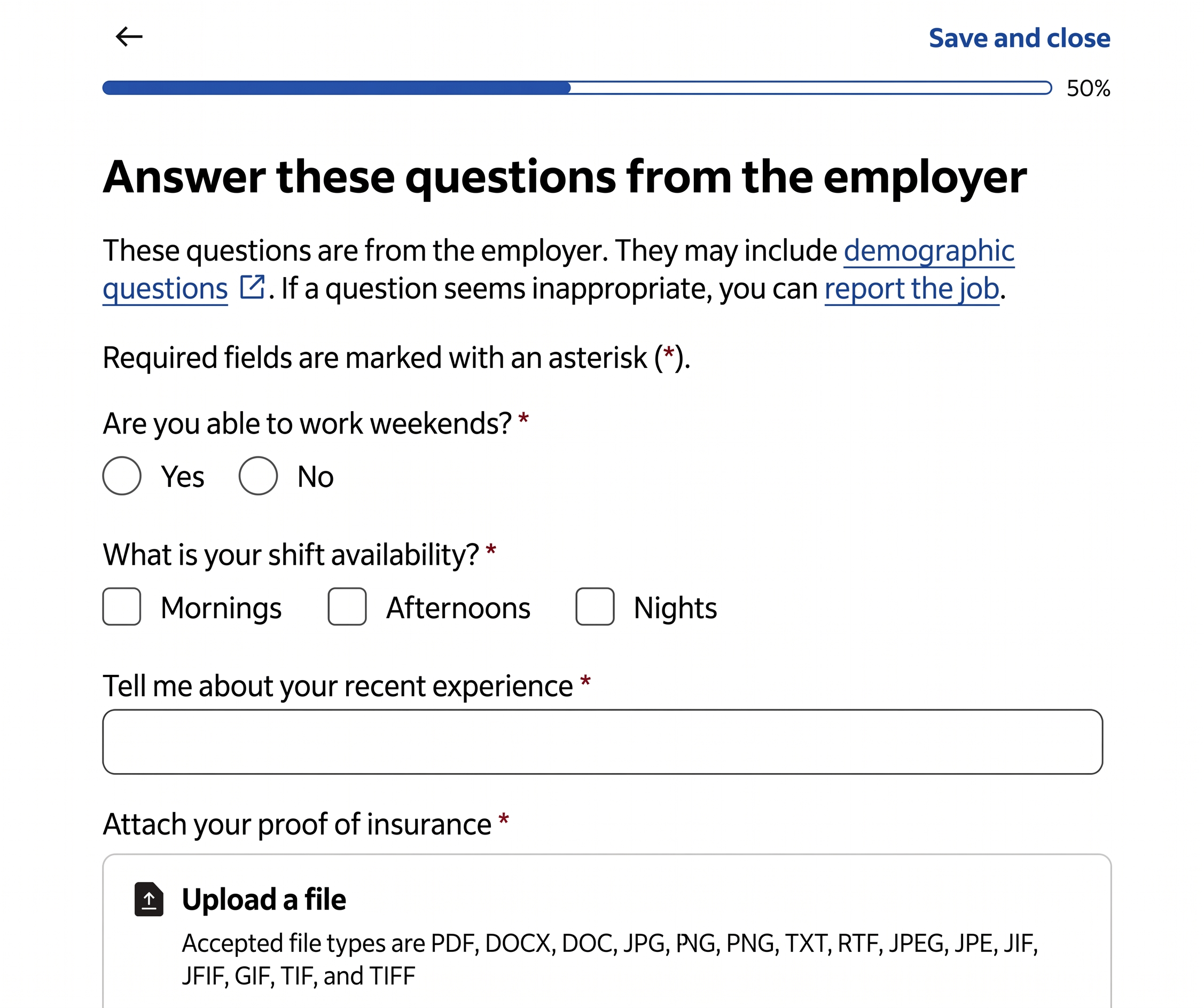
Add Screener Questions to the Apply Flow on Indeed
Take greater control of your hiring process by adding “Yes/No” and Multiple Choice questions to the new Apply module. These screener questions allow job seekers to provide critical information upfront. You can add these questions to individual job postings or apply them as rules across multiple jobs for consistent screening.
Look for our June release announcement for further updates.
April Update: Streamlined Permissions, Precise Rule Editing, and Canadian Expansion
For April, we are delivering enhancements to Smart Screening designed to provide a more flexible setup and deeper control over your hiring process. These updates include automated permission management, refined rule-level editing, and the launch of our Canadian pilot program.
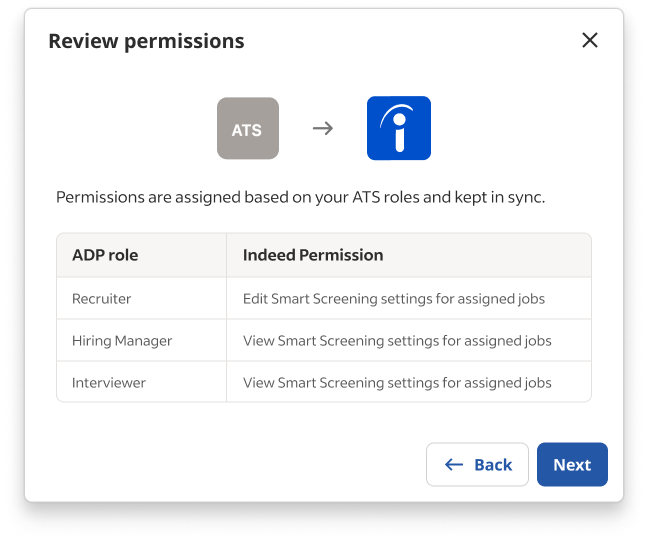
Automated Permissions with Kombo ATS Integration
Indeed’s latest pilot allows you to establish job-level permissions automatically on Indeed, integrating directly with your Applicant Tracking System through our Kombo integration. This approach removes the need for manual permission setup, giving your team members appropriate access to jobs and features based on their existing ATS roles. Connect with your Indeed representative for more information.
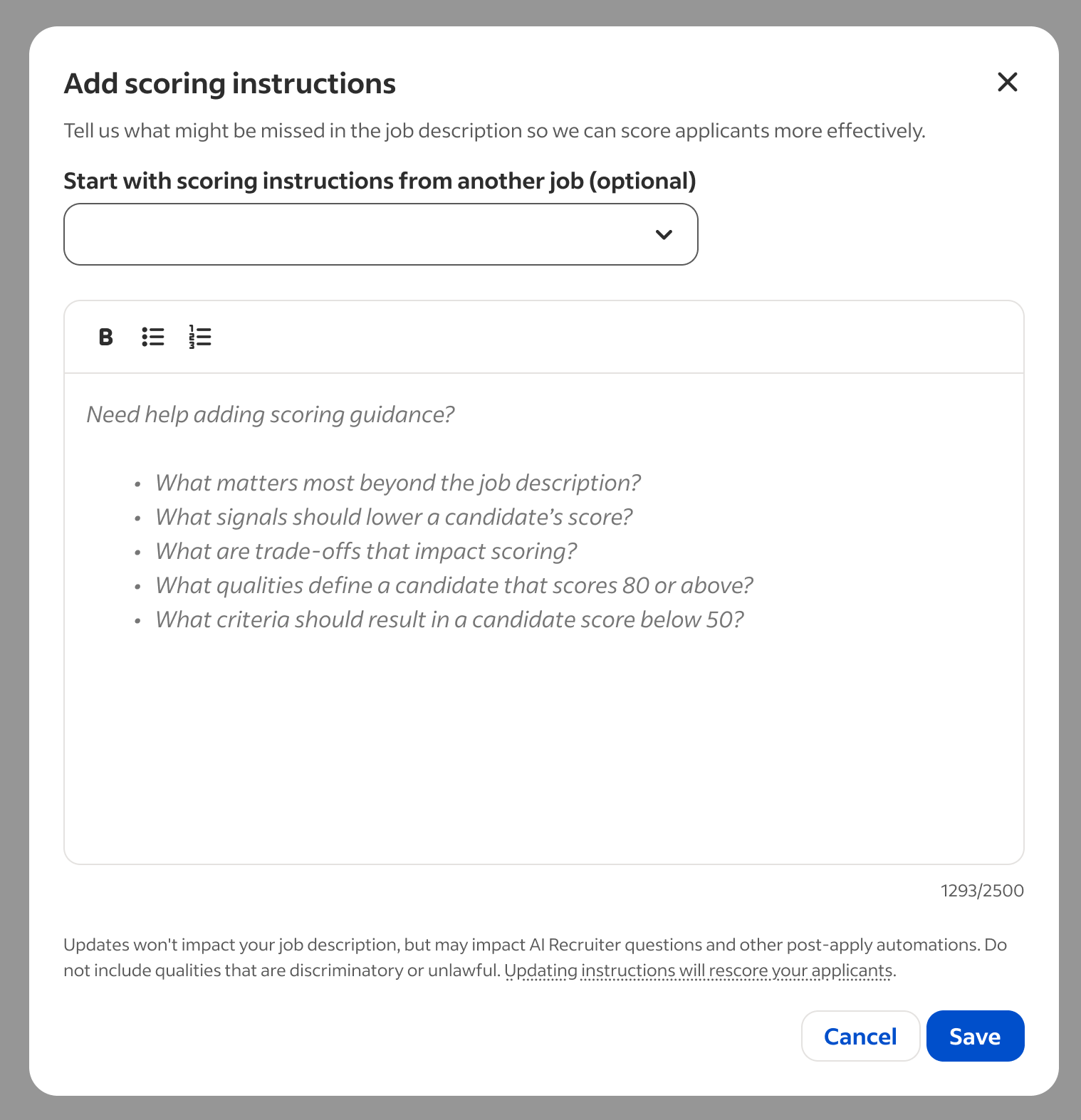
Precise Scoring Instruction Editing
You can now adjust scoring instructions at the rule level. Changes will automatically apply to all jobs governed by that rule, eliminating repetitive per-job edits. This ensures consistency across various positions, saving you time and upholding standardized screening criteria. Changes here do not impact your job description. Do not include qualities that are discriminatory or unlawful.
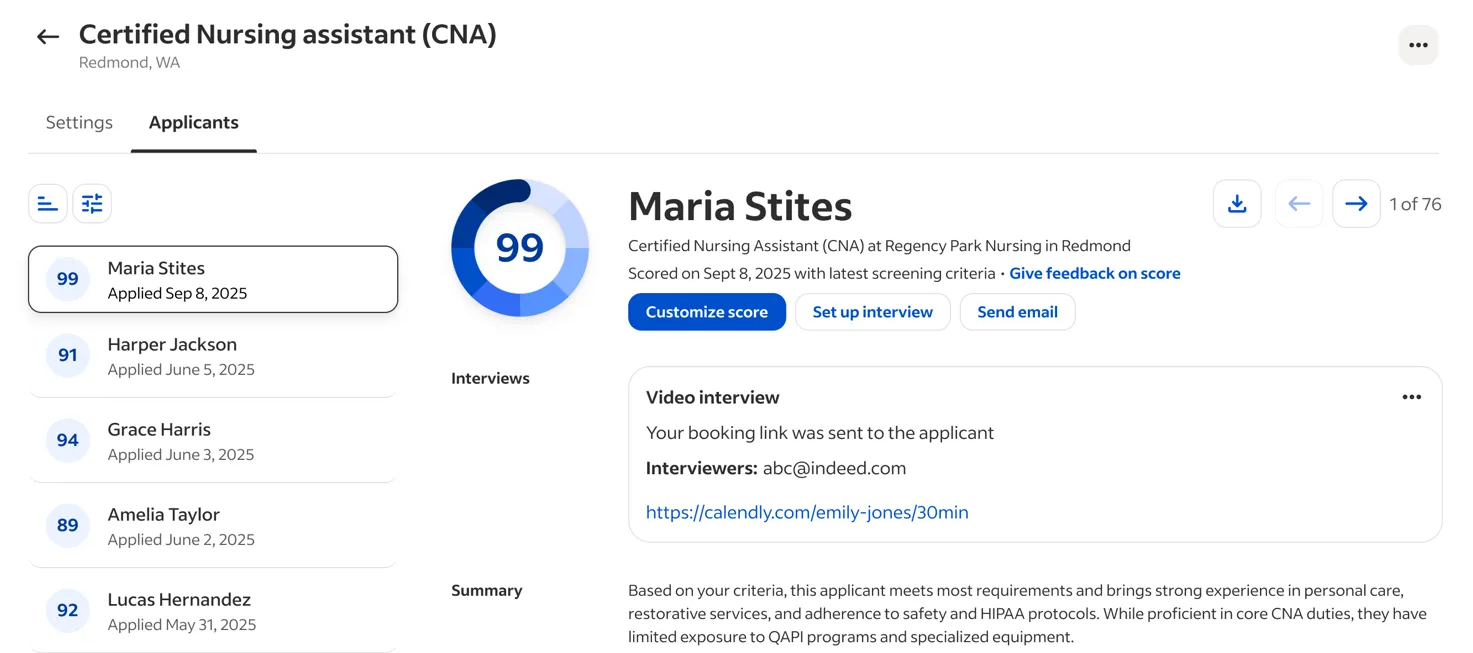
Interview Tracking on Application Pages
We have introduced interview cards on the application page within the Smart Screening Hub. This provides clear insight into the Indeed interview invitations you have sent, offering direct tracking of scheduling within your application workflow.
Customizing Application Notifications
You can now opt out of receiving immediate application emails for every job within Smart Screening. To update your notification preferences, contact your sales representative.
Smart Screening Expands to Canada 🇨🇦
We are initiating a Smart Screening pilot with selected Canadian employers. Participants in this pilot will begin to receive Smart Screening scores and application profiles specifically adapted for the Canadian market. Please reach out to your Indeed representative with questions.
Look for our May release announcement for further updates.